








Mozilla Firefox: A Fast, Secure, and Private Web Browser
Introduction
Now days firefox is considered in most fastest browsers. It can browse web pages so fast, securely, and smoothly. Users can download large files in a few seconds. It also can be used to browse websites, watching videos and much more. It also performs many other online activities. It has been developed by Mozilla Inc. It can support Windows, macOS, Linux, Android, and iOS for installation. It is also known for its high-quality privacy, customization, security, and open-source development.
It provides a clean and user-friendly browsing experience, making it suitable for both beginners and experienced internet users. With features such as private browsing, extensions, password management, synchronization, and tracking protection, Firefox remains a strong option for everyday web browsing.
Features of Mozilla Firefox
Developers of Firefox have included many useful features designed to make browsing easier and more convenient. Users can open multiple websites in tabs, organize bookmarks, save passwords, download files, and customize the appearance of the browser.
It also supports extensions and add-ons. These allow users to add extra functionality to the browser, such as ad-blocking tools, productivity extensions, password managers, translation tools, and website development utilities.
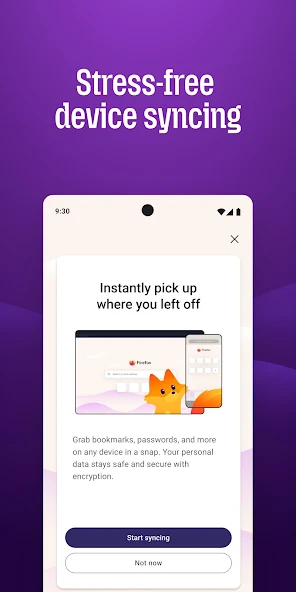
Another useful feature is Firefox Sync. By signing into a Mozilla account, users can synchronize information such as bookmarks, browsing history, passwords, and open tabs across compatible devices.
Privacy and Security
Privacy is one of the major areas of focus in Firefox. The browser includes Enhanced Tracking Protection, which is designed to reduce certain types of online tracking while users browse the internet.
Firefox also offers a Private Browsing mode. When a private window is closed, Firefox does not keep the browsing history from that private session on the device. However, private browsing does not make a person completely anonymous online, and internet providers, employers, schools, or websites may still be able to observe some activity.
Firefox regularly receives security updates to address vulnerabilities and improve protection against online threats.
Firefox Performance
The recent versions of Firefox are designed to provide fast page loading and responsive browsing. Performance can vary depending on the computer or mobile device, internet connection, number of open tabs, installed extensions, and the websites being visited.
Firefox also provides tools for managing browser data and troubleshooting performance problems. Users can clear cached files, remove unnecessary extensions, and adjust browser settings when Firefox becomes slow.
Customization and Extensions
One of Firefox’s strengths is customization. Users can change themes, rearrange toolbar buttons, manage search engines, and install extensions according to their needs.
For web developers, Firefox also includes developer tools for inspecting HTML and CSS, debugging JavaScript, analyzing network activity, testing responsive layouts, and examining website performance.
Firefox on Mobile Devices
Firefox is also available for smartphones and tablets. The mobile versions provide features such as tab management, private browsing, bookmarks, and synchronization. This makes it convenient for people who want to move between their computer and mobile device while maintaining access to their browsing information.
Conclusion
Mozilla Firefox is a versatile browser that combines everyday browsing features with privacy controls, customization options, and developer tools. Its availability across major desktop and mobile platforms makes it suitable for a wide range of users. Whether someone needs a browser for general web surfing, work, study, entertainment, or web development, Firefox provides a practical set of tools for accessing and managing online content.

