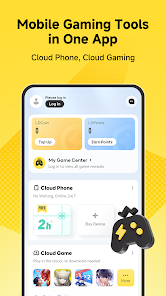
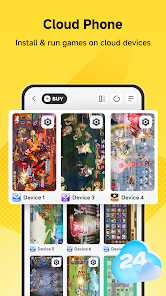
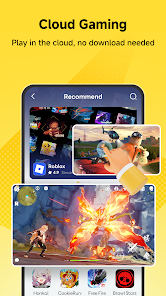
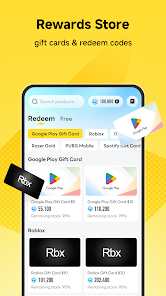
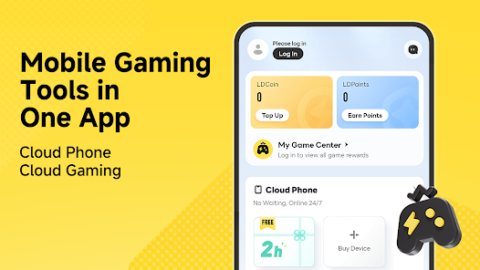
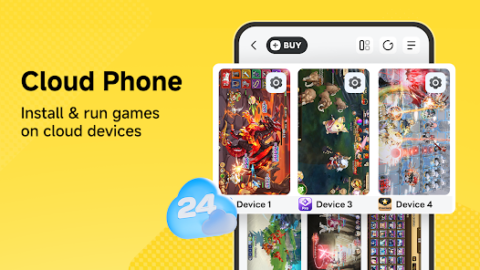
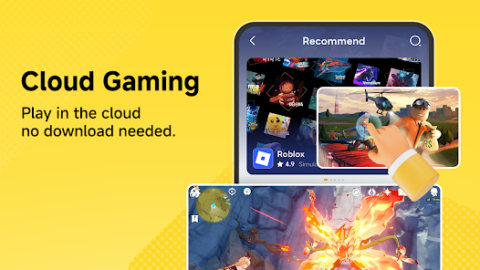
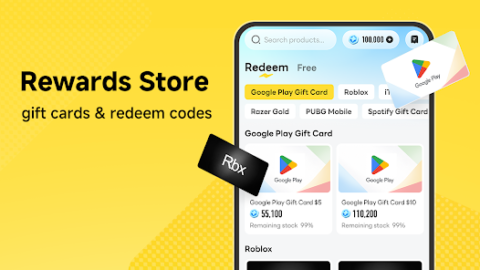
LDPlayer is a mobile gaming tools app designed for Android gamers, bringing together cloud phone, cloud gaming, and gaming rewards.Key featuresCloud phoneRun supported mobile games on remote cloud devices.• Install and run games on available cloud devices• Keep cloud devices running even when your phone is locked or not in use• Help reduce battery consumption, heat, and storage usage on your local device• Earn cloud phone usage time through eligible tasks and rewardsCloud gamingPlay supported cloud games without installing them on your local device.• Access available cloud games directly from your Android device• Save storage space on your local device• Earn cloud gaming time through eligible rewards or eventsRewards storeEarn points and redeem available rewards.• Complete eligible tasks to earn points• Choose whether to participate in rewarded ads or partner activities• Redeem points for gift cards, game redeem codes, cloud phone usage time, or other available rewards• Available rewards may vary by region, inventory, and event rules
LDPlayer: Gaming Tools APK Download
100K+
Downloads
68 MB
Size
Android 4.0+
Android
LDPlayer is a mobile gaming tools app designed for Android gamers, bringing together cloud phone, cloud gaming, and gaming rewards.Key featuresCloud phoneRun supported mobile games…
Screenshots
About LDPlayer: Gaming Tools APK Download
Table of contents
App Information
| App Name | LDPlayer: Gaming Tools APK Download |
|---|---|
| Developer | FUNEASE TECH LTD. |
| Latest Version | 9.0 |
| File Size | 68 MB |
| Requires Android | Android 4.0+ |
| Package Name | net.ldplayer.gamepal |
| Licence | Free |
| Last Updated | October 22, 2026 |
| Downloads | 100K+ |
How to Install
- Download the APK file using the button above.
- Open your device Settings → Security and allow "Install unknown apps" for your browser or file manager.
- Open the downloaded file and tap Install.
- Wait for the installation to finish, then open the app.
Safety & Security
Only download apps from sources you trust. Check the package name and file size against the official listing before installing, and keep Google Play Protect enabled on your device.